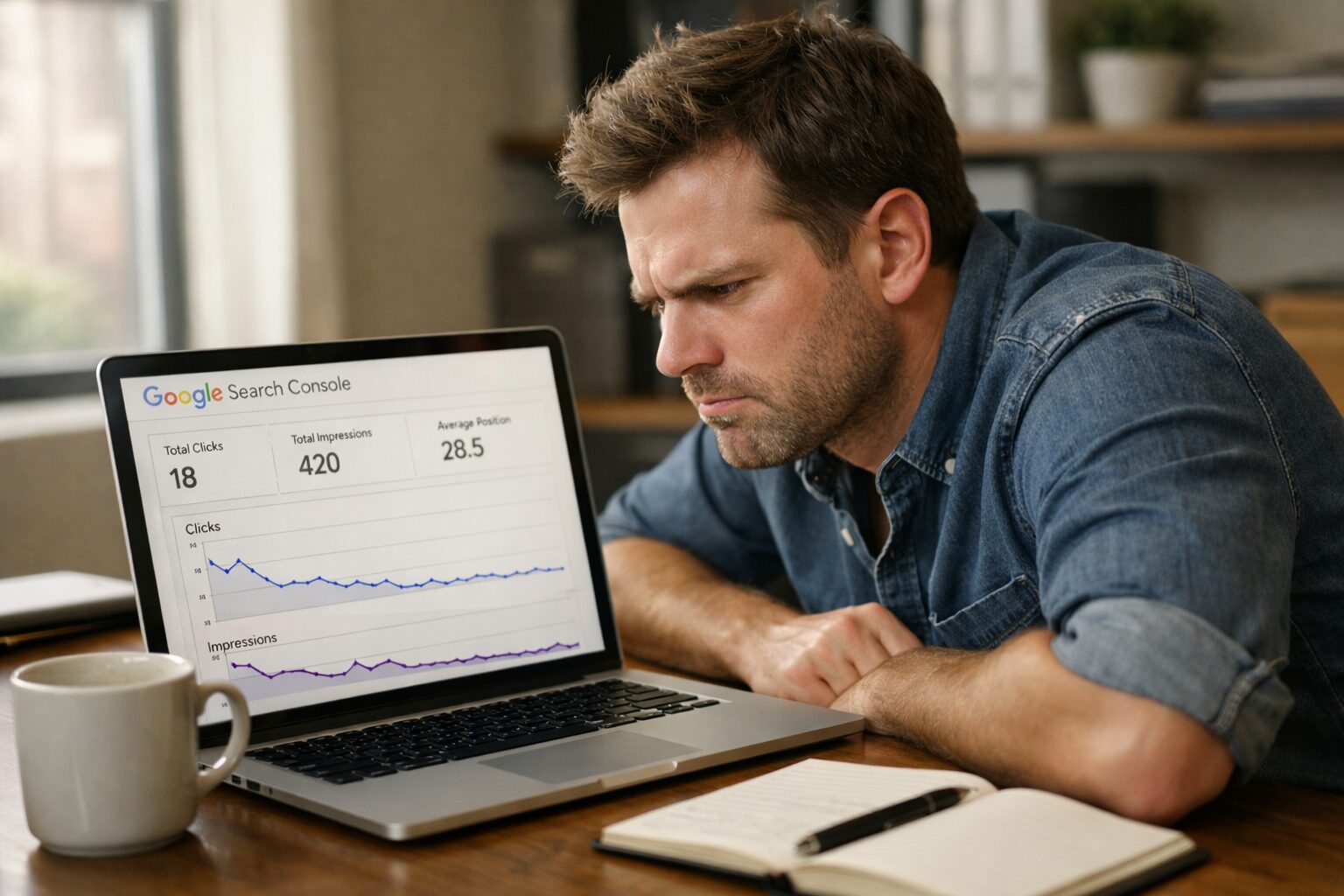
Over 90% of web pages get zero traffic from Google. Zero. Not a trickle, nothing. If your website not ranking on Google is buried on page two, three, or beyond, you are essentially invisible to the customers actively searching for you right now. The good news? Most of the reasons websites don’t rank are completely fixable once you know what to look for.
You built the website. You wrote the content. Maybe you even paid someone to set it all up. And yet, when you type your business into Google, your site is nowhere to be found. Sound familiar?
You are not alone. Thousands of small business owners across the US and Canada are in the exact same position. The frustrating truth is that having a website is no longer enough. Google has hundreds of ranking signals it evaluates before deciding who gets to sit on page one and if your site is tripping on even a few of them, your rankings suffer.
This post breaks down the most common reasons your website is not ranking on Google, explains why each one matters, and gives you clear, actionable steps to fix them. No jargon overload. No fluff. Just honest, practical SEO guidance.
1. Your Website Has a Crawling or Indexing Problem
Before Google can rank your site, it has to be able to find it and read it. If there is a crawling or indexing issue, Google simply skips your pages entirely and you will never rank no matter how good your content is.
How to Check
- Go to Google and type site:yourwebsite.com in the search bar
- If little to no pages show up, Google likely isn’t indexing your site properly
- Use Google Search Console (free tool) to check for crawl errors and see which pages are indexed
How to Fix It
- Make sure your robots.txt file is not accidentally blocking Google from crawling your pages
- Submit an XML sitemap through Google Search Console
- Check that key pages are not marked noindex in their meta tags
- Fix any broken internal links that prevent Google from navigating your site
This is always the first thing to rule out. A site with a crawling problem is dead in the water before SEO even begins.
2. Your On-Page SEO Is Incomplete or Missing
On-page SEO refers to everything you do directly on your web pages to help Google understand what they are about. It is one of the biggest SEO ranking factors and one of the most commonly neglected areas for small business websites.
What to Look For
- Title Tags: Every page needs a unique, keyword-rich title tag under 60 characters
- Meta Descriptions: These don’t directly affect rankings but they improve click-through rates, which does
- H1 Tags: Each page should have exactly one H1 that clearly states the topic
- Keyword Placement: Your primary keyword should appear in the title, first paragraph, at least one H2, and naturally throughout the body
How to Fix It
- Audit every key page on your site using a free tool like Screaming Frog or Ahrefs Webmaster Tools
- Rewrite title tags that are duplicated, too long, or missing keywords entirely
- Add or update meta descriptions for every page
- Make sure your content actually answers the question your target audience is typing into Google
3. Your Content Does Not Match Search Intent
This is one of the most misunderstood fix website SEO issues and it silently kills rankings for countless websites.
Search intent is the reason someone is typing a query into Google. Are they looking to learn something? Buy something? Compare options? If your content answers the wrong question, Google will not rank it even if it is beautifully written and technically optimized.
The Four Types of Search Intent
- Informational — “How does SEO work?” (people want to learn)
- Navigational — “Aptklick website” (people want a specific site)
- Commercial — “best SEO agency for small business” (people are comparing options)
- Transactional — “hire SEO consultant” (people are ready to buy)
How to Fix It
- Search your target keyword in Google and study the top 5 results what format are they? Blog posts? Service pages? Videos?
- Match your content format and angle to what is already ranking
- If your page is a product page but Google is ranking how-to guides, you need to create informational content that serves the top of the funnel first
Creating Content That Satisfies Search Intent & Meets Customer Needs
4. Your Website Is Slow or Not Mobile-Friendly
Google officially uses page experience signals as a ranking factor. That includes your site speed and how well it performs on mobile devices. With over 60% of searches happening on smartphones, a slow or clunky mobile experience will cost you rankings especially in competitive markets across the US and Canada.
How to Check
- Run your site through Google PageSpeed Insights (free)
- Check your Core Web Vitals score in Google Search Console
- Open your site on your phone and honestly ask: is this easy to use?
How to Fix It
- Compress and resize large images before uploading them
- Use a fast, reputable hosting provider
- Enable browser caching and use a CDN (Content Delivery Network)
- Switch to a mobile-responsive theme if you are on WordPress or a similar platform
- Remove unnecessary plugins, scripts, and third-party tools that slow load time
A one-second delay in page load time can reduce conversions by 7% and send a negative signal to Google. Speed matters more than most people realise.
5. You Have No Backlinks (Or the Wrong Ones)
Backlinks links from other websites pointing to yours remain one of the most powerful SEO ranking factors in Google’s algorithm. Think of each backlink as a vote of confidence. The more high-quality votes you have, the more Google trusts your site.
If your competitors have dozens or hundreds of backlinks and you have none, they will almost always outrank you even if your content is better.
How to Check
- Use Ahrefs Webmaster Tools or Moz Link Explorer to see your current backlink profile
- Compare your link count to the top-ranking pages for your target keyword
How to Fix It
- Write genuinely useful, shareable content that others want to link to
- Reach out to local business directories, industry blogs, and partner websites for link placements
- Get listed on relevant US and Canada business directories (BBB, Yelp, Clutch, etc.)
- Consider a guest posting strategy on reputable industry sites
- Avoid buying cheap backlinks spammy links can actively hurt your rankings
Here is the Beginner’s Guide to Link Building
6. Your Local SEO Is Not Set Up Properly
If you serve customers in specific cities or regions across the US or Canada, local SEO is not optional, it is essential. Without it, you will not appear in the local map pack or location-based searches, which is where a huge volume of buying-intent traffic comes from.
How to Fix It
- Claim and fully complete your Google Business Profile (formerly Google My Business)
- Make sure your business Name, Address, and Phone number (NAP) is consistent across every online listing
- Collect genuine reviews from happy customers reviews are a direct local ranking signal
- Create location-specific pages on your website if you serve multiple cities
7. You Are Targeting Keywords That Are Too Competitive
One of the most common mistakes new websites make is going after high-volume, highly competitive keywords right out of the gate. Trying to rank for “SEO agency” when you are brand new is like a local bakery trying to compete with Starbucks on day one.
How to Fix It
- Focus on long-tail keywords with lower competition and clear intent (e.g. “affordable SEO services for small business in Toronto”)
- Use tools like Google Keyword Planner or Ubersuggest to find keywords with decent volume but manageable competition
- Build topical authority by covering related subtopics thoroughly before going after your main target keyword
Getting your website to rank on Google is not about luck or magic it is about systematically fixing the right problems in the right order. Here are the key takeaways:
- Start with the technical basics: make sure Google can crawl and index your site
- Optimise every page with proper title tags, H1s, and keyword placement
- Match your content to search intent not just keywords
- Speed and mobile experience are non-negotiable ranking factors today
- Build backlinks through quality content and genuine outreach
- Set up local SEO if you serve a specific geography in the US or Canada
- Choose realistic keywords that give your site a fighting chance to rank
Improving your Google search ranking takes time, but every fix you make moves you closer to page one. The businesses showing up at the top of Google did not get there by accident and neither will you.
Ready to Take the Next Step?
You now know what is holding your website back. But knowing and doing are two different things. If you want an expert team to audit your site, identify exactly what is costing you rankings, and implement a proven fix-and-grow SEO strategy Aptklick is here for you. Visit Aptklick today and let’s get your website ranking where it belongs: page one.
Your site may not be indexed by Google yet. This can happen if your sitemap has not been submitted, your robots.txt file is blocking crawlers, or your site is too new. Use Google Search Console to check your index status and submit your sitemap directly.
For a brand new website targeting competitive keywords, it typically takes 3 to 6 months to start seeing meaningful rankings. Less competitive or long-tail keywords can rank faster. Consistency with content, backlinks, and technical SEO speeds up the process considerably.
The top SEO ranking factors include high-quality and relevant content, backlinks from authoritative sites, technical site health (speed, mobile-friendliness, Core Web Vitals), on-page optimisation (title tags, H1s, keyword usage), and user experience signals like bounce rate and time on page.
Many basic fix website SEO issues like updating title tags, improving page speed, and setting up Google Business Profile can be done yourself with free tools. However, for competitive markets or technical problems like site architecture issues, working with an experienced SEO agency like Aptklick can save you months of trial and error.
Start by thinking about what your ideal customer types into Google when they need your product or service. Use free tools like Google Keyword Planner or Ubersuggest to check search volume and competition. Focus on long-tail keywords that are specific, have clear intent, and are achievable for your site’s current authority level.
Social media does not directly influence Google rankings, but it plays an indirect role. Social shares can drive traffic to your site, increase brand searches, and help content get discovered and linked to by other websites — all of which positively influence your ability to improve Google search ranking over time.
On-page SEO covers everything you control directly on your website: content quality, keyword usage, title tags, page speed, and site structure. Off-page SEO refers to external signals, primarily backlinks from other websites, that tell Google your site is trustworthy and authoritative. You need both to rank consistently.
Google does not issue a formal “penalty” for slow sites, but speed is a confirmed ranking signal. Slow-loading pages rank lower than fast ones, especially in competitive searches. More importantly, slow sites frustrate visitors, increase bounce rates, and reduce conversions — all of which compound the negative impact on your rankings.
There is no fixed number; it depends entirely on your niche and the competition for your target keyword. Use tools like Ahrefs or Moz to check how many backlinks the current page one results have. Focus on quality over quantity: five links from high-authority, relevant sites are worth more than 500 links from spammy directories.
A professional SEO audit will identify exactly which technical, on-page, and off-page issues are holding your site back. The team at Aptklick specialises in SEO audits and ranking strategies for small businesses across the US and Canada. Visit aptcklick.com to get started and find out what is really stopping your site from ranking.